Image to Image AI — Edit Any Photo by Describing the Change
Keep the composition, change everything else — style, lighting, mood, medium.
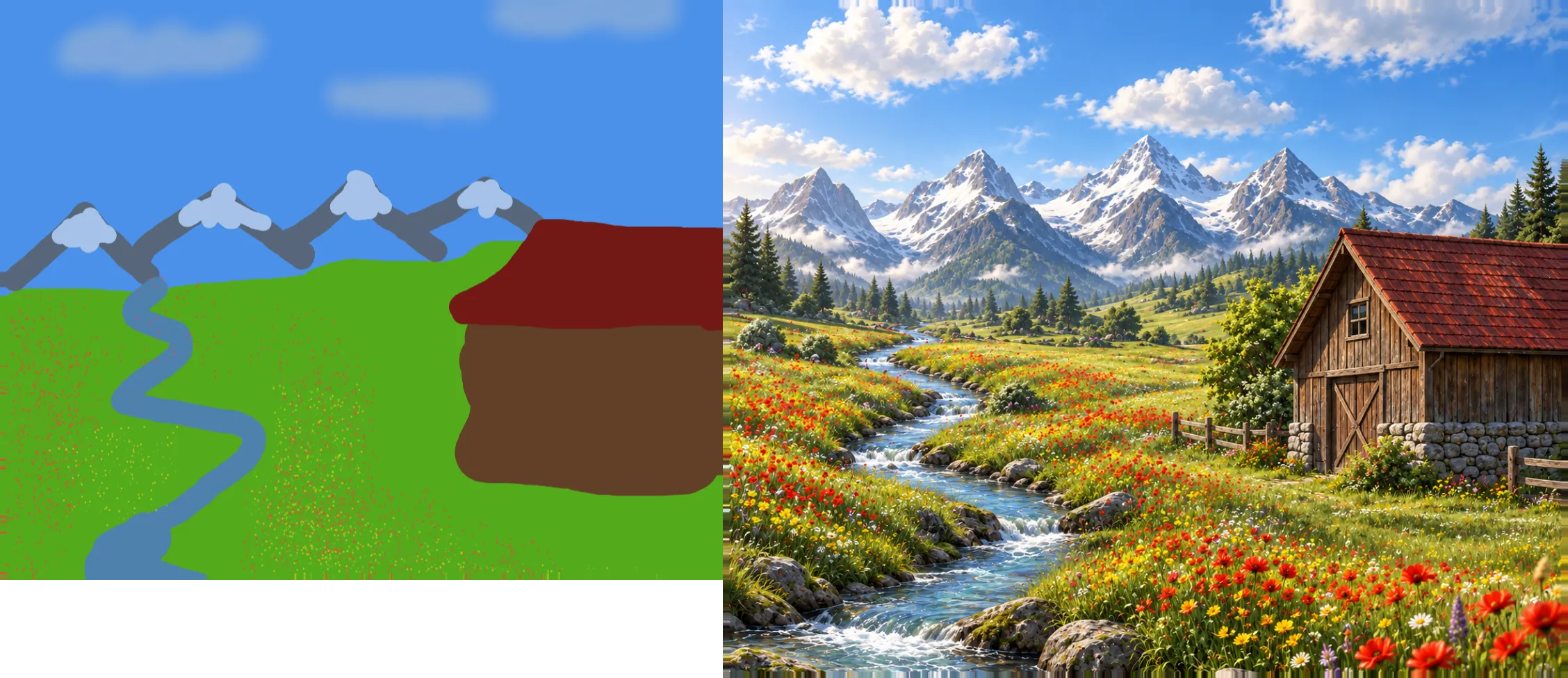
Image to Image takes the photo already on your canvas and transforms it according to a text prompt — shifting style, lighting or medium while respecting the shapes and layout already there, rather than generating something from nothing.
Use it to explore variations on a real photo or a render — turning a product photo into a stylised illustration, restyling a concept sketch, or trying a mood change before committing to a full re-shoot or repaint.
Billing follows the same shape as Generate — it depends on the model you pick, and several models are priced the same across both tools. No fixed number is quoted here because it can change; the editor always shows the exact cost before you run it.
Models
- Qwen Image Edit
- Pruna Image
- Flux Klein 9B
- Flux 2 ProPaid plan
- Seedream 5 Lite
- Seedream 5 ProPaid plan
- Qwen Image 2
- Qwen Image 3
- Reimagine
- GPT Image 2
- GPT Image 2.5
- Nano Banana 2Paid plan
How it's billed
Same shape as Generate; several models are priced the same as their Generate entry.
Frequently asked questions
Generate makes an image from a prompt alone. Image to Image starts from a photo already on your canvas and transforms it, so the original composition guides the result.
Yes. On top of the source image on your canvas, most models accept additional reference images, up to a per-model limit.
The models listed above, from low-cost restyles to premium edits. Pick one in the model selector; the price shows before you run it.
Yes. Image to Image needs a source image on the canvas to transform. Upload a photo, or generate one first with the Generate tool.
Explore the other tools
Every tool lives in the same canvas — stack them on one image without leaving the page.

Ready to try Image to Image?
Free to start. Plans from $10/mo.