AI Pose Changer — Put Any Character in the Pose You Want
Bend a posable mannequin into the pose you want, and get your character back in it.
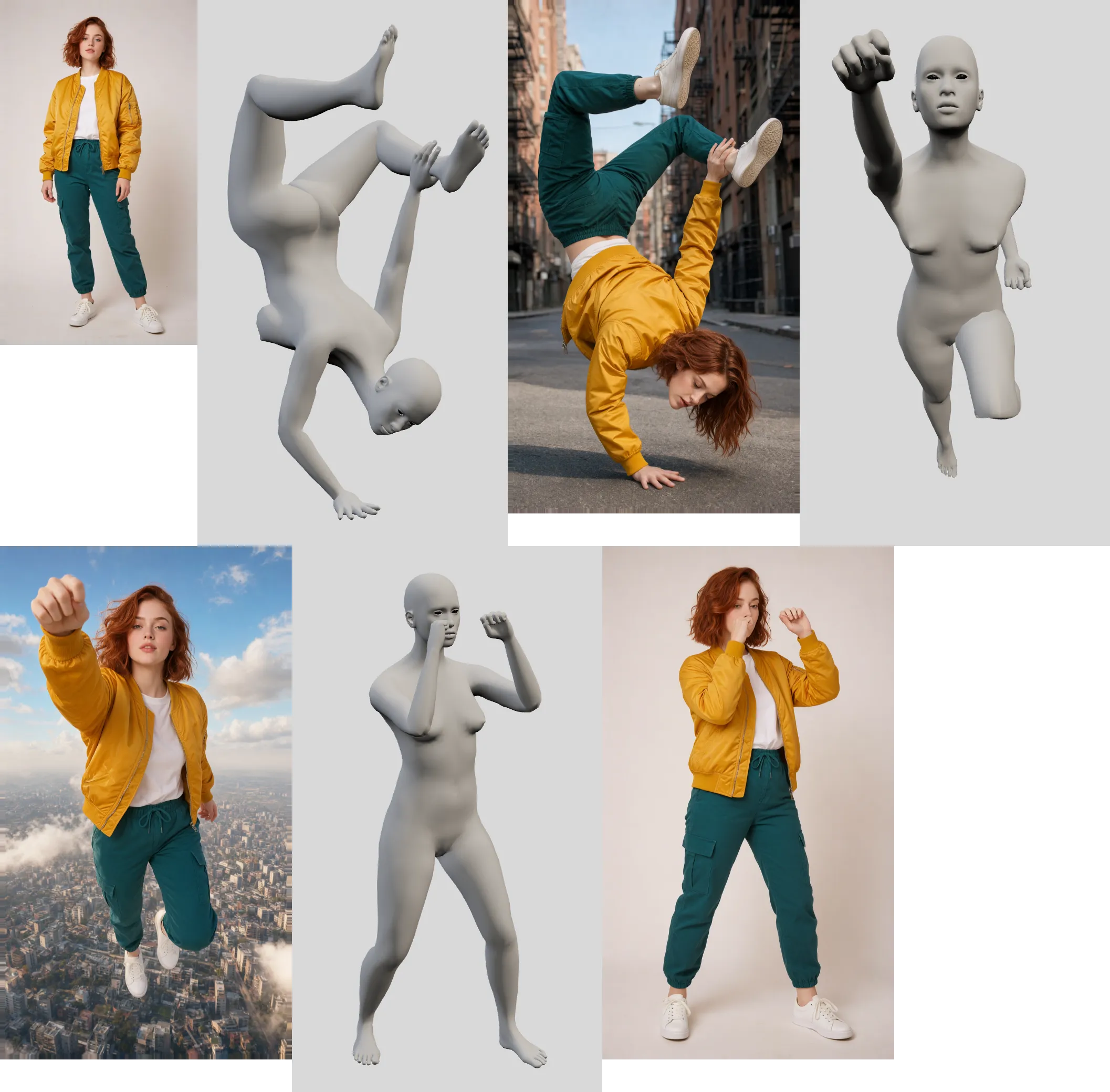
Poser puts a character in any pose you choose. Its Pose Studio is a posable mannequin you bend, turn and look at from any angle; start from a ready-made pose, copy one from a photo, or use one of your own saved poses. Attach a picture of a character to get them in that pose as a new image, or re-pose the person already in your picture, right where they stand.
Use it to keep a character consistent across a comic, a storyboard or a set of product shots, to fix a stiff or awkward pose in a photo, or to try a pose before drawing it. Add up to 8 extra reference pictures (7 when you add a character to a scene), such as an outfit, a prop or a style, and an optional description.
Each image costs credits, priced by its output size and shown before you run it. Setting up a pose in Pose Studio is free.
How it's billed
Credits per image, by output size.
Frequently asked questions
Yes. Choose In scene, set the pose, and the person in your picture (or in your selection) is redrawn in it right where they stand, blended back into the photo.
Yes. Pose Studio can copy a pose from a photo onto the mannequin, and you can adjust it from there.
That's what the character picture is for: attach a clear one, and add reference pictures for an outfit or a prop that matters. The description can name anything else to keep.
No. Poser works without signing up, using the free credits you get when you open the editor.
Explore the other tools
Every tool lives in the same canvas — stack them on one image without leaving the page.

Ready to try Poser?
Free to start. Plans from $10/mo.