Uncrop Image — Extend Any Photo Beyond Its Edges
Add canvas on any side and let AI fill in a matching continuation of the scene.
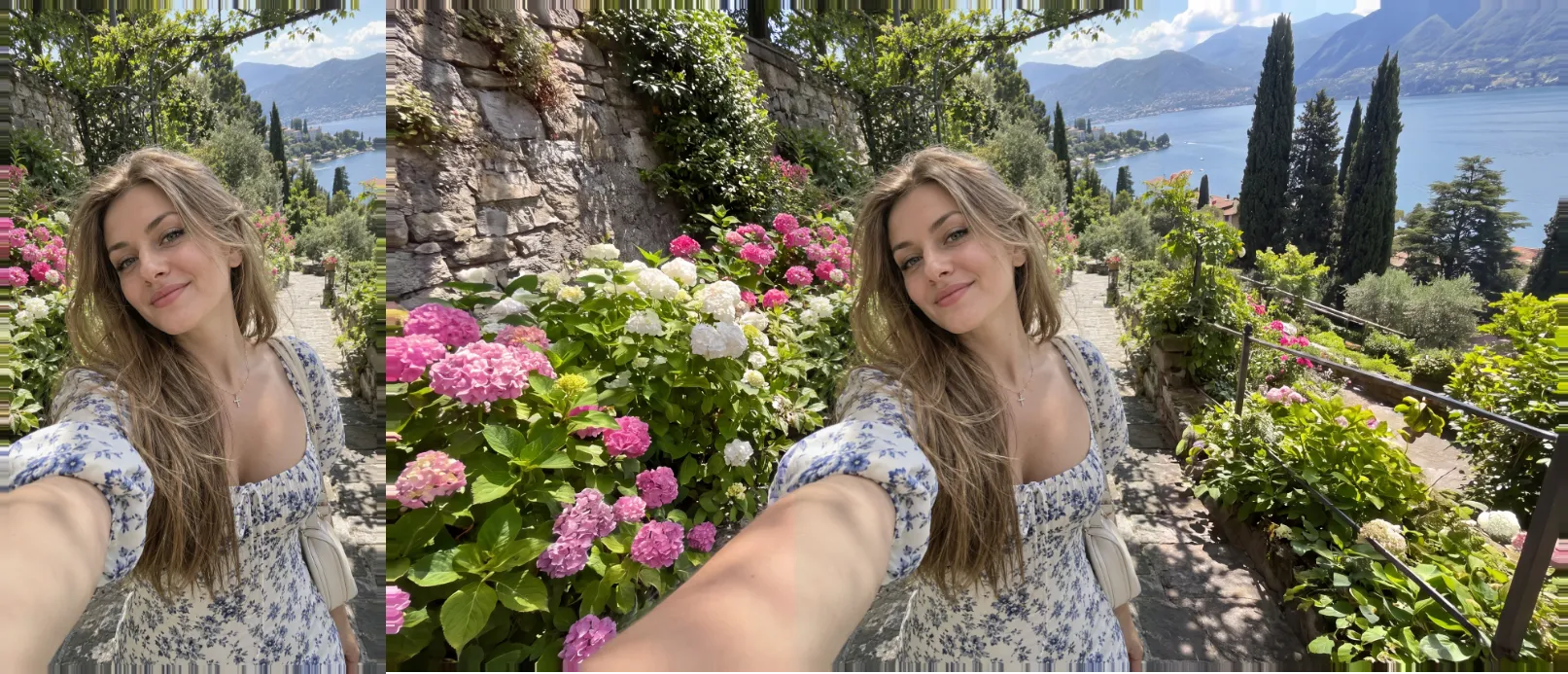
Outpaint extends an image past its original edges instead of cropping into it. Choose how much to add on each side and the AI generates a continuation that matches the style and content of the original. On two of the three models, your original pixels are pasted back over their exact region, so only the new area is generated.
Use it to repurpose a square photo as a widescreen banner or a tall portrait crop, to give a tightly framed shot breathing room, or to reveal more of a scene than the camera originally captured.
Billing is per output megapixel on two of the three models, and a quality or resolution tier on the third. A free quote is always shown before a paid run, so the price you see is exactly what gets charged.
Models
- Image Apps Outpaint
- Nano Banana ProPaid plan
- Luma Photon Reframe
How it's billed
Per output megapixel on two models, a lite/pro quality tier or a resolution tier on the third.
Frequently asked questions
On two of the three models, no: your original pixels are pasted back over their exact region, so only the new area is generated. The third model reframes the whole picture to a new aspect ratio.
On two of the three models, yes — drag your source image to any position before running. The third model auto-reframes to the nearest supported aspect ratio instead.
Far more than one generation could produce at once: large expansions are drafted and refined for you automatically. A very large expansion next to a small image asks you to extend in steps.
A prompt helps steer the new area on two of the three models, but is optional — outpaint can extend a scene convincingly from the image alone.
Explore the other tools
Every tool lives in the same canvas — stack them on one image without leaving the page.

Ready to try Outpaint?
Free to start. Plans from $10/mo.